
Favorite Way to Save Money Quickly (and from home)
Saving money doesn’t have to be complicated — try this quick and easy tip.
Subscriptions are convenient – until they’re not. Is your money quietly leaving your account each month for things you no longer need? If so, do a quick financial reset.
How many subscriptions do you currently have? Only 5 you say? Or could it be more like 20?
From streaming services to apps you downloaded once at 11 p.m., small monthly charges add up fast. The first step to saving more money might be simpler than you think: cancel what you don’t use.
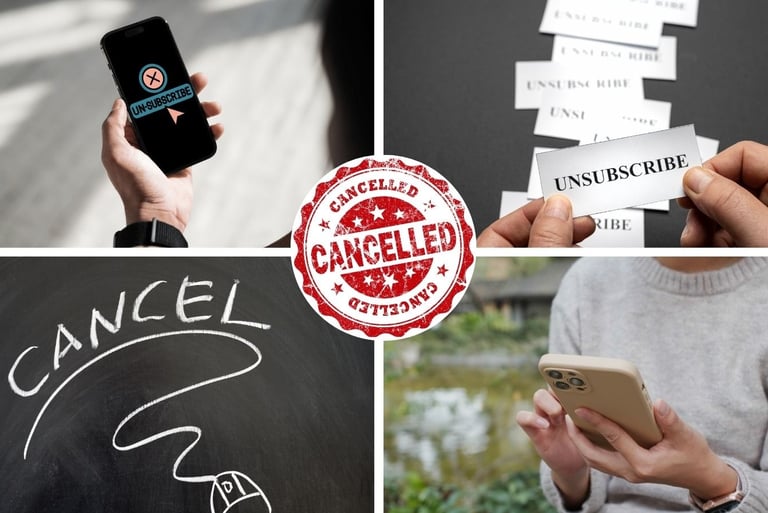
All of us have subscription services we love and use regularly. They often make life a little easier, provide entertainment, or reduce your mental load. But what about the subscriptions that didn’t work out, the ones you didn’t love, or just forgot to cancel? What about that “Free Trial” you signed up for but decided not to use? Did that “Free Trial” get forgotten and turned into a $19.99 monthly charge on your credit card?
You might be saying “I don’t have that many subscriptions, just Netflix, Spotify, and my Xbox Game Pass.” I thought so too. I counted in my head and guessed that we had 6 or 7 family subscriptions. How many did we actually have? 17!
And those 17 subscriptions added up to more than $350/month. That may not sound like much to some people, but if you are trying to tighten up your budget to save for a vacation, you’re in between jobs, or wanting to be a stay at home parent, any extra cash is awesome! And also, why keep paying for products or services you aren’t even using?
Most people I know have at least one streaming service—and many of us have had all the streaming services. At one point, our household was paying for Netflix, Disney+, Hulu, Paramount+, Peacock, and YouTubeTV. Did we watch all of them regularly? Not even close. But I kept paying anyway, telling myself, “What if we want to watch something that’s only on that platform?”
That “just in case” mindset adds up fast—and it also caused me to miss opportunities to bundle services, which can be a smart way to save money if you truly want to keep access.
The same thing happens with subscription boxes. Coffee, candy, pet supplies, clothing, makeup samples—those deliveries can be fun and feel like a little surprise each month. But now is the perfect time to ask: Are we actually using this? And is it still worth the cost? Magazine subscriptions often quietly fall into this category, too.


Beyond streaming and subscription boxes, there’s another quiet expense: influencer subscriptions. Exclusive content, private communities, bonus posts—it all sounds appealing. But while many of these subscriptions are free, others charge monthly for “premium” access. Before renewing, ask yourself: is this adding value to your life, or just another charge you’ve learned to ignore?
Start by logging into the checking, savings, or credit card account you usually use when signing up for new services. Scan your transactions for recurring charges—especially company names you don’t recognize or don’t remember using recently. That’s how I quickly found a subscription to Adventure Academy, an educational game my girls used to play. We signed up for the free trial, forgot to cancel, and were automatically enrolled in monthly payments—exactly what companies are counting on.
When you spot a suspicious charge, search that amount over the past six months. If it shows up month after month, you’ve found a subscription. If you no longer need it, log in and cancel right away.
NEXT check your Apple account – Open Settings, tap on your name, then choose “Subscriptions”. Active and Inactive Subscriptions should be listed here. Proceed with cancellation. -OR-
Check your Android account. Open up Google Play Store, tap your account picture, then choose “Payments and Subscriptions.” Proceed with cancellation.
FINALLY – Think about other services you may use or have access to that didn’t show up in your bank account or on your credit card? A hidden one for us is our Disney+ account. My husband added it to his Verizon Wireless account because they offered it at a lower price if we subscribed that way. But now it’s billed under “Verizon.” We do use Disney+, but if we didn’t, we would likely forget all about it and keep paying the fee every month without realizing it.
There are apps that can help track subscriptions, but you don’t need to wait. Take 30 minutes today to review what you’re paying for, cancel what you no longer use, and reclaim money your family can put toward things that truly matter—every single month!


You’re probably curious by now how many subscriptions you actually have. Often, the next question is-
“How do I even find these subscriptions?”
Many monthly or yearly subscriptions are tied directly to a checking or savings account or to a debit or credit card during the sign up process. Others are tied to your Apple or Android account through your device.
While there are some subscription tracking tools out there, here are some basic steps on how to locate (and then cancel) subscriptions you no longer need:
© 2026 by Favorites of Everything. All images, posts, and designs are original content. Please do not repost or claim my content as your own.